These past few weeks, I find myself more and more enamored with the HP Mini 1000 - or my MacBook Mini, spending less and less time with the MacBook Wind (see, I even dropped the possessive adjective "my" there) to devote it instead to my MacBook Mini. Heck I even endure sacrificing my own cells' well-being by not sleeping during the cell regeneration hours - 10pm - 1am - just to tinker with my (yes, "my") MacBook Mini.
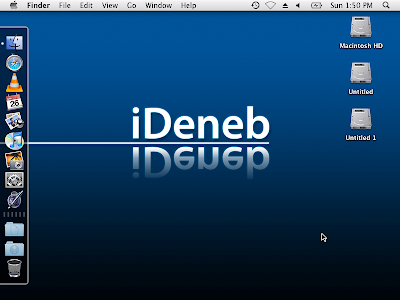
If there's anything to prove how hooked I am and committed to my MacBook Mini, the screenshot below suffices:
Showing posts with label install OS X on the HP Mini. Show all posts
Showing posts with label install OS X on the HP Mini. Show all posts


18 May 2009
Bleeding Edge (Love)


Warning: long post ahead
Before people accuse me of spouting sonnets - if they can even be considered sonnets, which I doubt very much that they are - from Leona Lewis' old hit song "Bleeding Love", this one's got nothing to do with that subject matter but is definitely similar in terms of the emotional state involved; I could've probably bled to death this past weekend after all the frustration from updating my MacBook Mini to 10.5.7.
And to what ends, might you ask? To stay on the bleeding edge of what's techie hot. Since Apple made both the delta and combo updaters for 10.5.7 available for download from their website, the hackintoshing community the world over (maybe even across the galaxy, or universe, since some guys are really geniuses they just gotta be aliens no less) became hyped with this latest update.
Trouble is, I'd just started celebrating my successful OS X install and 10.5.6 update + new 2 GB RAM on my HP Mini 1001TU, slapped an Apple sticker I custom made with tender lovin' care on the glossy-swirl-patterned lid when found myself face to face with yet another challenge. I'm a geek so instead of just sitting around in my cozy corner and preserve the current Nirvana state of my MacBook Mini (I just had sleep/resume resolved with the 2 GB RAM upgrade), armed with kexts I got from the OSX-how-to-guide over at myhpmini.com, I took a quick look at my files to check that my precious personals were somewhere else safe, I took the plunge, prepared for head on collision or even worse.
1st try:
06 May 2009
HP Mini 1000 - Hackintosh Resource
Update: I've posted a better, concise installation how-to with updating up to 10.5.7.
Today, I find myself with nothing to do - again. Short of succumbing to playlist fanstasyland with iTunes on my work pc or getting absorbed in reading others' blogs till it's suddenly time again to trudge back home, I thought I'd go update this blog with a new post.So what's up that's worth the time flexing my fingers for this post to be typed and read?
Well, the HP Mini 1001TU is getting more familiar, thereby making it easier to hackintosh - and by hackintoshing, I meant installing OS X and fine tuning stuff. So I feel the right time has come for me to create my own how-to guide which will serve as my own personal reference that everyone's welcome to use if they feel like it.
HP Mini 1000 - Hackintosh Resource
03 May 2009
Minor Surgery
It's common knowledge that the HP Mini 1000's webcam is really bad if not just plain useless. I mean, I could practically see nothing on the cam if it wasn't day time. It's not that I had a pressing a need to have the webcam bend to my will - I wasn't fond of video conferencing anyhow. Maybe that's why it's only now that I finally took a step to fix the problem.
As with any problem or issue out there, there's a reason behind it all. Apparently, HP has "forgotten" to take off the protective film covering the bezel hole for the webcam enclosed inside. So following what pics hinted from engadget, I ventured on performing this minor surgery on my MacBook Mini.
As with any problem or issue out there, there's a reason behind it all. Apparently, HP has "forgotten" to take off the protective film covering the bezel hole for the webcam enclosed inside. So following what pics hinted from engadget, I ventured on performing this minor surgery on my MacBook Mini.
02 May 2009
Upping the Ante
Coming from a vacation for which I'd spent a crazy amount c/o my credit card, I'm currently broke. I shouldn't be spending anymore but guess what? The geek, or should I say, geekette in me prevailed causing me to get a stick of 2 GB DDR2 for my MacBook Mini which I paid for cash.
Bye bye Php 1,400! On with my new 2GB DDR2 PC-667 stick of RAM.
Upgrading the HP Mini 1000's RAM is a no brainer. Even if I were completely the girly frilly type of girl, I wouldn't have much problem actually installing RAM - the Mini has an access panel that's specifically for a task such as this. And absolutely no chance of losing those tiny screws! :)
(Credits to myhpmini.com)
Bye bye Php 1,400! On with my new 2GB DDR2 PC-667 stick of RAM.
Upgrading the HP Mini 1000's RAM is a no brainer. Even if I were completely the girly frilly type of girl, I wouldn't have much problem actually installing RAM - the Mini has an access panel that's specifically for a task such as this. And absolutely no chance of losing those tiny screws! :)
(Credits to myhpmini.com)
27 April 2009
Update iDeneb 10.5.5 to 10.5.6

As I mentioned in my recent post, I'm opting for successfullly updating using the 10.5.6 combo updater and not via software update since I wanted to created an "HP Mini 1001TU Hackintosh Resource" which I plan to burn into a DVD for safekeeping purposes - for the rainy days if they come.
At first I certainly thought the path I'd chosen was the harder one, but as I dived into the experiment, it was even the opposite. If you have read my previous post, you'd notice that there are lots of step and lots of applications/tools involved. What I discovered is that you only need OSX86 Universal Installer and off you can go already.
1) Launch Universal Installer and:
- select your HDD
- select "OSX86_Essentials" from the drop-down menu for "motherboard"
- check option "Apply kext package"
- check option "Install PC_EFI v9 Chameleon Edition 1.0.12
2) Click on the "Instal" button to begin applying the options and reboot.
3) Once back in OS X, enable the root user account by typing the ff. in Terminal:
- "sudo passwd root"
- enter your admin password when prompted
- type in a new password for the root user
- retype the new password for verification
4) Log out and you should be able to see a new "Others..." option for login. Click on this "Others.." and type "root" as the user name and input the password you've just configured.
5) Once you're logged in the root's account, navigate to the folder containing the Universal Installer package you've downloaded and unpacked to locate the DSDT Patcher inside the "Extras" folder.
6) Run DSDT Patcher. This process should create a file named "dsdt.aml" file in your / folder.
7) Copy the "dsdt.aml" to the root's home folder and also to your personal user's home folder too, just in case. (this is one point I think that needs cleaning up, I'd have to experiment more to see where this "dsdt.aml" should really be to avoid too much junk in the house)
The system should be able to boot up fine. In my experience, it rebooted twice before I was able to see my login window again (I hadn't enabled auto login).
So what stuff breaks after the update?
- resolution is back to 800 x 600, squashed and distorted
- trackpad is broken - red led light and no response from trackpad at all
- keyboard is also broken
So I plugged in my mouse and got ready to log in. But then I'd remember that the keyboard is bricked and so this is the moment where I wished I had enabled auto login for my account so I'd be able to activate virtual keyboard with which to enter my password when I reinstall the PS2Controll kexts.
I was excited and my brain's circuitry was all jumpered with the adrenaline rush with not encountering a kernel panic as reported by others who attempted this exercise, so I was rather panicky and ready to wipe out and reinstall. But thankfully, presence of mind took over and I recalled I had a usb keyboard hanging around which saved me time and effort.
In short I was able to login and reinstall the necessary kexts to render my MacBook Mini acceptable and functional again.
Oh and for some reason, the iDeneb wallpaper and login image came back for a brief moment after I'd updated to 10.5.6 which disappeared again when I rebooted after having reapplied the kexts. Weird....
26 April 2009
Insatiable

I have successfully installed OS X Leopard on my HP Mini 1001TU, thereby making me my very own MacBook Mini. I've done some tweaking, well partially at least - the only remaining stuff I had to do was fix ethernet. With the broadcom script step done and over with, I only have to verify if my MacBook Mini will be able to connect via WiFi, which means I've to tote the little one to a nearby Starbucks since though I now have decent broadband connection, I've yet to get a WiFi router.
Other than that, I'm pretty good to go but one particular aspect still keeps tugging at my heartstrings; I'm on 10.5.5 thanks to iDeneb. And yes, I want to update to 10.5.6.
Like the obedient hackintosher, I did my research first and found that, unlike updating on the Wind which could break PS2 control, video and at times. audio kexts, updating on the Mini 1001TU could potentially result to kernel panics on top of the aforementioned kext issues. This would mean rendering previous efforts in installation and tweaking null and void.
That's why I'm taking things on a slow walk. So I'm off to prepping my MacBook Mini for its major operation.
22 April 2009
Remote Control For the Hackintosher

Who said only Macheads - I meant "real" Macheads have all the cool stuff? MacBooks, "real" MacBooks come with an Apple remote control which lets the user control his/her Mac instead of using the keyboard and mouse. Being a mere hackintosher (who doesn't have enough moolah to buy herself a nice genuine MacBook), I neither dreamed of getting the same feature on my MacBook Wind (MSI Wind notebook/netbook with OS X Leopard installed) and now, on my MacBook Mini (HP Mini 100TU with OS X Leopard as well) - nor even dared to dream.
Last year, I replaced my Moto Ming (Motorola A1200) with the Sony Ericsson w890i because I finally realized, or admitted to myself rather, that it wasn't easy texting with the touchscreen Ming - puny little itsy bitsy letter squares that make up an equally puny virtual keyboard is not exactly what I'd call convenient. I'm happy with the SE w890i and its loads of features; specifically the "Remote Control" feature wich has always intrigued me right from day 1.
20 April 2009
Ungrateful Hackintosher

After installing iDeneb OS X on the Mini 1000, instead of the starry outer space glow of Aurora, Leopard's default wallpaper, I was greeted with a blue screen with iDeneb on it. I know I should be grateful to the people who made iDeneb since if not for them, my MacBook Mini would still remain vaporware as it was some months ago. But I just can't stand the over all feel of the dark blue with some glowy effect I rather find spooky - just as if I were watching an episode of X Files and Scully's all too perfectly sculpted facial features would pop out behind that dark-almost-black-bitten-apple along with a bunch of loony big-eyed alien heads.
I simply prefer the no nonsense original Apple look like what I'd usually get from a fresh install using msiwindosx86 on my MacBook Wind; it was cleaner and more polished and chic looking all in all.
I just gotta find a way to revert things back the old Apple way and this is what I found:
13 April 2009
Look Ma, It's A Mac Pro!
 For some definitely weird reason, MacTracker thinks the HP Mini 1000 is a 2008 Mac Pro
It Started With A Huge Download and Patience

Given the netbook addict that I've become, it's no surprise that connecting my MSI Wind (currently running OS X Leopard) to an LCD monitor has become a pretext to justify purchasing the HP Mini 1000.
And given the really sexy and so scrumptuous looks of the Mini 1000, I knew I was gonna try OSX-ify it -- the little machine just oozed with chicness and class that my inner nerd-slash-geek was all aglee. There was no way I was gonna let it be defiled (continuously) by Win XP Home that it came with pre-installed; beautiful should mate only with equally beautiful. Simple as that.
But actually bagging the guy didn't seem as easy as eyeing it as a prospect, (read my futile attempts at my previous site).
In the end, like any solid relationship, one's gotta go under a bit of hardship to lay the foundation;
12 April 2009
MacBook Mini

Now I'm starting a new one in line with that same "story and journey" stuff but not so much as a newbie as before.
Welcome to my new blog (I'm leaving WordPress alone for now - putting google ads requires paid subscription - oh well) where I'll be recording how I put OS X Leopard on my new netbook:
HP Mini 1000
Let the hackintoshing begin!
Subscribe to:
Posts (Atom)