11 September 2009
Obsessed
14 August 2009
Battery, Battery
[/caption]You've just successfully installed Mac OS X Leopard on your precious Mini, gotten out alive from a proliferation of how-to-guides all a-jumble that you'd scourged high and low from the world wide web so you're updated to 10.5.7 or 10.5.8.
And in the pursuit of that ever ellusive happiness, you tweak your MacBook Mini to your tastes and one of the nuisances you take care of aside from the pesky resolution that would almost always break at every update (save those video kexts under "Break In Case of Update" glass), is that equally pesky warning message that tells you that:
"You are now running on reserve power."
blah blah blah
You've just unhooked your MacBook Mini from the mains just a few minutes ago and that 80% charge remaining can in no means be insufficient to run your spanking hackintosh-netbook. No way.
For the longest time, I've always opted to disable battery warning messages (System Preferences > Energy Saver - you just dig around there ;) ) and then take out the default battery icon from the Menubar. So off it has always gone to oblivion with a disgruntled poof of cartoonish smoke, never again to be summoned to grace my hackintosh computing view. I've always replaced it with Slim Battery.
But because of reasons unfathomable even to myself, I wanna be able to use the default battery menulet (yes, according to Mac OS X Leopard, The Missing Manual, that's what you call those icons sitting on your Menubar). I find that the iDeneb patches found in /.../system/Installation/Packages/Patches of the iDeneb installer disc extremely interesting.
If you're on kernel 9.7.0, that is kernel from 10.5.7 (cause you may be on 10.5.8 but using this kernel to get sleep/resume), you can install the iDeneb PowerManagement.pkg patch and forget about Slim Battery altogether.
We may or may not have the same results but it seems to have eliminated that warning message pest. Just apply the package after installing the usual kexts (VoodooPower and VoodooBattery).
09 August 2009
Ms. International
Je suis francophone; French is the language with which I earn my daily bread. Once upon a time, I also spoke Italian with my batchmates in college to gossip about those Filipina version of the "Plastics" in Lindsay Lohan's Mean Girls. And before you click on that red orb (if you're on a Mac or hackintosh) or red x (if you're on, may the forces of mother nature forbid, Windoze), I'm now reluctantly learning Mandarin. Reluctant because I'd never intended to learn that language because of the complexity of Chinese characters and the tone system they use - I'm tone deaf so good luck to me. But because of a certain Taiwanovela, I got the fever and now I'm officially crazed addicted to everything Taiwanese so watching fresh video uploads on youtube.com which are neither subbed nor dubbed in the lingua franca, I'm forced to learn some Chinese and as good fortune could have it (oh my, is that feng shui/Chinese idiom related there?), my brain has actually absorbed the language.
I now recognize a number of Chinese characters and I need a tool to be able to write in Chinese in forums. At work, where we're all on black IBM boxes, I use NJStar text editor which is a pretty neat app in that it functions as a dictionary as well. At home, I'm a Mac girl - make that a Hackintosh girl - and as literate as I might seem on Mac OS X with all my blabbing about kexts and kernels and bootloaders and HFS Journaled Extended partition what-not, I'm still in awe at the discovery that Mac OS X actually supports Chinese input natively! No need to hunt down a Mac version of that NJStar text editor cause TextEdit does it brilliantly!
All I need to do is go to System Preferences > International > Input Method tab, and select Traditional Chinese (cause it's what they use in Taiwan instead of Mainland's simplified), Pinyin.

Then in the Menulet that will appear, after I'd opened up TextEdit, I just select Chinese from the dropdown menu. . .

And voilà!

A toast with my mugfull of Apple fangirl Kool-Aid: Isn't Mac OS X just totally awesome? :D
06 August 2009
And the Never Ending Saga Continues. . .
First off, you can call me Hermione Granger-ish all you want, before taking the 10.5.8 plunge, I did some research, or to be more honest, some googling around ;) and found this interesting website.
NOTE: This is assuming you've already a working iDeneb install updated upto 10.5.7 - dsdt patched, OSx86_Essentials kexts applied, and Chameleon RC02. (I haven't checked how things would go on PCI_EFI Chameleon 1.0.12).
And like any bookworm out there who easily believes what she reads, (1) I obediently backed up my Extensions via Terminal:
$ sudo -rf /System/Library/Extensions /System/Library/Extensions_1057
Afterward, (2) I installed Disabler and dsmos kexts referenced by the aforementioned website via good ol' Kext Helper b7 but color-coded them first cause I was too lazy to check whether I had these kexts already or not in my current setup, there's no way I'd miss those red kexts now if ever I'd need to check later :D
(3) That done, I didn't reboot yet but ran the Mac OS X Delta 10.5.8 Updater (Delta because I was running 10.5.7 already, 10.5.6 and lower should get the Combo Updater) I'd downloaded just minutes before from the Apple website which, quite surprisingly, took fairly little time to install at around just 5 minutes or less.
I originally intended to reinstall VoodooPS2Controller just in case but decided at the last minute not to and (4) just hit Restart as Installer completed the update. As expected the first reboot didn't complete and the Mini restarted and once again I was face to face with Chameleon RC02 (I've updated my bootloader to the latest Chameleon, by the way, and am enjoying my OS X Boot Theme which I got from here). Then Darwin said "hi" again. The screen flickered, giving me goosebumps as I thought I'd never get into my beloved Leopard desktop. And the spinning wheel finally sprung into action and after what seemed to be a substantially longer boot time than usual, I first saw nothing but a blue screen. . .and my cursor - whew! Another 5 seconds or so, I was back into my desktop!

But everything was humongous; resolution got bricked as expected.
Perhaps this screenshot could better illustrate what happened after the update:
[caption id="" align="aligncenter" width="461" caption="No Bluetooth, WiFi, Resolution 640x480, Color not 32-bit | Has audio, default battery monitor working (right click and open in new tab/window for screenshot's actual size)"]
[/caption]It was a comfort to know that screen brightness controls weren't bricked. As it was nearing midnight already I dimmed the screen to the lowest possible before (5.1) I trudged on, reinstalling my usual kexts via OSx86 Tools and not Kext Helper since unlike the latter (Kext Helper b7 it turns out, also backs up your kexts), OSx86 Tools would create a backup folder of the 10.5.8 kexts it replaced which I wanted to look at after. I started with the system kexts which seems to have restored WiFi and Bluetooth. I had no problems with sound as VoodooHDA still worked after the update.
(5.2) Now for the video kexts. You can opt to reinstall all of the kexts in one go; I just decided to separately install them because (a) they're already sorted into two different folders in my drive and OSx86 only allows installing 1 folder of kexts at a time and (b) I'm just weird that way. Restarted and bingo!
[caption id="" align="aligncenter" width="480" caption="Bluetooth, WiFi (Airport), Audio, Battery, 1024 x 600 32-bit (right click and open in new tab/window screenshot in actual size)"]
[/caption]There was that nasty "You are running on reserve power" battery warning again and in wanting to screenshot it, I tried to make it pop again by putting MacBook Mini to sleep so I closed the lid and it was late when it dawned upon me that the usual flickering of the white power led and switching off of the fan didn't happen. I reopened the lid and there were the tell-tale signs of a broken Sleep/Resume that were all too familiar to me by then. I knew I had no choice but to force shutdown the Mini and turn it back on so I plugged in my broadband cable to check if ethernet worked. It did. It does.
[caption id="" align="aligncenter" width="482" caption="No need for Yukon2.kext, just be sure to plug in cable before booting up"]
[/caption]Now for a summary. At first I thought I was gonna end up listing down the few stuff that still worked but, as it turned out, I'm now writing what doesn't work which means the general outcome of this experiment isn't so bad after all:
1) Sleep/Resume - once you put the Mini to sleep either by closing the lid or pressing fn+f1 combo keys, the screen does switch off but so do the trackpad and, I assume, the keyboard as well, never to be woken up again but by forcing the machine to shutdown and just turn it back on again.
2) Fan - it's gotten hyperactive I guess as it now whirls away with fervent gusto at maximum right from the start and it's noisy.
I would've also listed the battery warning nuissance pop-up alert but that's easily ignored or resolved by turning off battery warning in System Preferences, taking out the default OS X battery meter from the Menubar (enjoy seeing it vanish in a poof of smoke) and using Slim Battery Monitor instead.
What happened to my 10.5.7's Extension folder's back up now? I'm keeping it safe for the meantime as I try to figure out how to resolve the issues mentioned above; the kexts can come quite handy, who knows.
For issue # 1, I'll have to try the old SleepEnabler kext and/or review VoodooUSBEHCI again for some hints. For issue #2, I'm gonna see how posta74's fan solution works out on this one.
All of this is actually reminiscent of struggles with previous updates 10.5.6 and 10.5.7, still fresh in my mind - 10.5.8 is déjà vu. Creepy, I know.
And now I've turned another fork in the road - Harry Potter's lightning scar no longer burns; the King has returned to rule the whole of Middle Earth and even Gollum has found his peace and so has Frodo (though I still doubt he's come out of the closet yet ;) ) and Luke Skywalker has swung his last light saber - sagas have come to their own grand close yet this hackintoshing journey of mine seems to never end. T_T
August 5, 2009
While I and my family remained glued to the TV set in the living to pay our respect to this great leader in the only way we could then, my fellow hackintoshers had already downloaded 10.5.8 from Apple's website and were trying it on their own iterations of MacBook Mini's each. Thus, when I visited myhpmini.com this morning fresh from grieving my country's loss of its valuable pillar of society, this was the conversation thread that welcomed me:
> Intel9295
Now, to any HP mini Hackintosh users: DO NOT UPGRADE! This update could break your install. Wait until someone more qualified does it (LeMaurien, we are looking at you) and see's what it does. YOU'VE BEEN WARNED.
Don't be stupid.
> MrFairladyz » Wed Aug 05, 2009 11:40 pm
My wifi wasnt working so i just updated to see what changes. So far, the display resolution issue is back (it only shows 640x480 instead of 1024x576... i think this is only a problem on the 110's, though.)
I'm re-installing all the kexts now.
edit: okay, i've re-installed the kexts. wifi is still not working (i don't know if it will mess up your wifi, but mine wasn't working to begin with.) Display and everything else is back to normal. No noticable changes, what was this update for?
> ravic » Thu Aug 06, 2009 12:56 am
I was having lot of trouble with Bluetooth PAN, I wonder if this would fix it?
I will wait for some time before attempting to upgrade.
> ConfuzedOne » Thu Aug 06, 2009 1:29 am
Don't be a chicken.. upgrade you fools! :P what's the worse thing that can happen? :P
> lukehale » Thu Aug 06, 2009 1:32 am
Only post-upgrade issue I have is my sleep fails to function, and I have to restart if I shut the lid :(. That also means bluetooth doesn't work because to get it working you have to close and reopen the lid. . . which causes it to sleep. . . which fails. Other than that it is working wonderfully. I will get back to you all if I find a solution to the sleep issue :)
Based from these results, it's basically the same conundrum of issues with hardware rendered non-functional by the update; not unlike what's happened with the other previous updates, 10.5.6 and 10.5.7. Among the issues, it's Sleep/Resume that's bothering me the most but I'm not losing hope - if people found solutions for this and a lot more others in 10.5.6 and 10.5.7, why not in 10.5.8? I haven't tried for myself the update yet so I find no reason to just dismiss this hurdle as unsurvivable ;)
I can't wait to get acquainted with 10.5.8. Now if only I hadn't a regular day job. . .
LABAN!
05 August 2009
DVDPlayer
For those uncomfortable with editing the DVDPlayback file with a hex editor, just download this file , unzip it and then navigate to
/System/Library/Frameworks/DVDPlayback.framework/Versions/A
to copy paste the file in that folder. Authenticate as you are prompted.Note: as always, as safety precaution, you may want to first make a back up copy of your original DVDPlayback file before doing this. Also, DVDPlayer won't work when an external DVD drive is not plugged in via USB.
03 August 2009
SMBIOS Dilemma
As you see, I've always been wondering why MacBook Wind happily assumes MacBook Air's identity, embracing it as its own while MacBook Mini is a bit confused - ok, make that totally confused. In the past, whenever I checked Apple Menu > About This Mac > More Info . . . and System Profiler launches, it gave me a nonchalant "There was an error while gathering this information" as it highlighted by default the Contents > Hardware main header.
So when I reinstalled iDeneb 1.3 (10.5.5), I made sure I checked the SMBIOS option for a MacBook and true enough, when I checked just before updating to 10.5.7 as per my usual routine, here's what I discovered:
10.5.5 as it is, delivered by iDeneb v1.3 actually can recognize MacBook Mini for what it really is. Even details pertaining to the Processer and Memory are correct. Although when I checked just the "About This Mac", I still got this:
Upon further investigation; I found other tiny details that attest to my MacBook Mini being recognized as a MacBook by OS X:
![]()
That's clearly a lappie depicted by the icon there. Now compare it to this (udpated to 10.5.7):
A Mac Pro, so it seems.
Actually, this shouldn't be a problem. But for OC'ness sake, if ever such a word was, I find myself irritated with this. I tried extracting the MacBook SMBIOS from the iDeneb installer and apply it to MacBook Mini again but nothing happens.
I don't know until when I can endure this and continue to just ignore stuff. Honestly, I'm reconsidering editing the DMI/BIOS again; I just have to figure out how to make the Mini be a MacBook without borking out the original HP logo in the boot splash nor getting a painfully slow boot up time.
Decisions, decisions...
16 June 2009
Welcome!

And I finally got a glimpse of the OS X Welcome vid!
I didn't expect to see any effects of this performance-wise on my MacBook Mini but I was well surprised that my previous not so bad anymore 44 second boot time was even reduced to 35.
But I think that'll eventually change as I continually use MacBook Mini on a daily basis, accumulating gunk as I go. However, I really like the feeling of this new start - it's like I've a brand new MacBook Mini! :D
13 June 2009
MacBook Air Wannabe
But why ever the MacBook Air and not just the MacBook, for example?
Well, this unbelievably thin laptop by Apple and the Asus EeePC 701 can be considered as contemporaries as they were introduced around the same time - early 2008. That and the fact that both's targeted market (people who want to take portable computing to a new level of greater portability) is the same; well save of course for the difference in budget brackets (premium price vs low cost), have made the MacBook Air and netbooks fave subjects of comparison: I bet like me, you've also seen your share of MacBook Air parodies at youtube featuring a variety of netbooks from different manufacturers being pulled out of the signature Manila envelope!
Well, I've set up my MacBook Mini successfully and although doing the same Manila envelope drama is one idea I find alluring, I'm putting it off for some more substantial tweaking. And yes, it's still MacBook Air related.
So my MacBook Mini's moderate specs aren't that bad compared to the Air in relation to my portable computing requirements...what else do I want?
01 June 2009
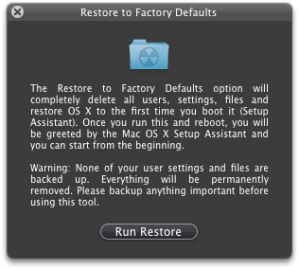
Wipe Out, Reinstall, Update
Now I can say that I truly know MacBook Mini's heart (and guts)
> IMPORTANT: Proven to work on HP Mini 1001TU with 2 GB RAM
24 May 2009
R.I.P.

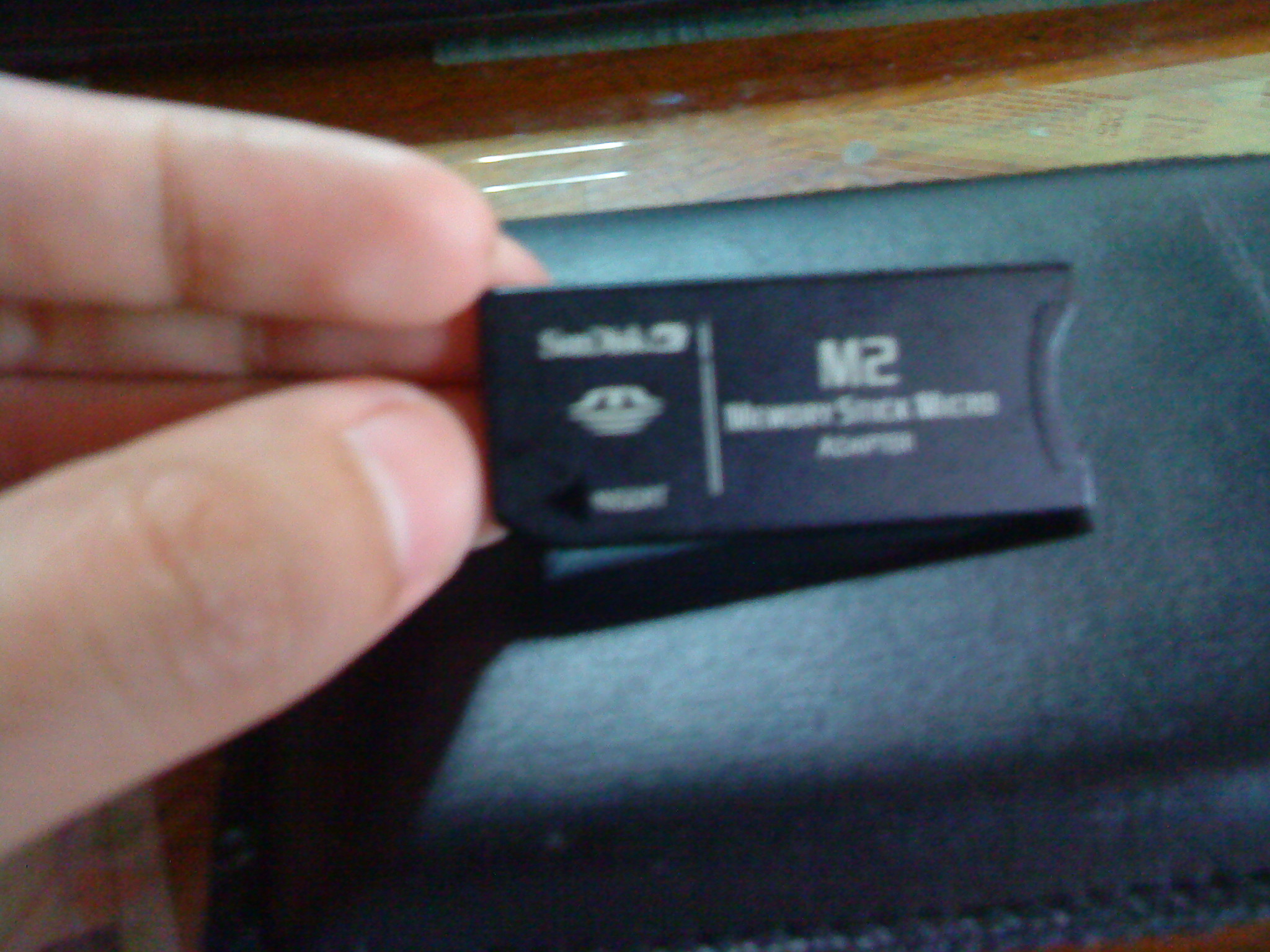
I thought that since I could do this on the MacBook Wind, there shouldn't be any problem but, based on that grounds, I still cannot plead innocent; I should've known there was something amiss when I noticed that plugging in the M2 adapter on the Mini met some resistance (it obviously didn't with the Wind) and just stopped right there and then. But, as if possessed by some dimwitted ogre-like psyche, I forced the card into the slot anyway.
Stupidity. Denseness. Imbecility. Folly.
And now, when I plug in a normal MMC card on the Mini, OS X doesn't mount it anymore - it's as if it hasn't sensed something has been plugged in.
I'm in grief and right now, I think I'm still in the latter parts of the In Denial Stage; I still believe there's hope still since when I go to the BIOS settings, I can still see that "USB: Single Flash" entry under the Boot Options - I'd have to resort to trickery to get to the BIOS with the MMC card in the reader slot though because the Mini would get hung up on the boot splash screen, which, by the way, sports a "Compaq" logo now instead of the stock "HP" one.
But I may be trudging forward to acceptance as I'd already reinstalled the dummy SD/MMC card that came with the Mini.
I still think it was a retarded thing for me to do - does that mean I'm still in the Anger stage then?
Ok, scrap that. But come to think of it; even the MacBook Air in all it's tech-chic glory doesn't even have an SD/MMC slot and, as it is now, my MacBook Mini still trumps it with 2 USB ports vs. 1. :)
23 May 2009
HP = Compaq ??
Yet you still want more.
And then, one lazy, boring afternoon at the office (because of the recession, clients don't buy your company's product, thereby reducing the projects assigned to employees like you), as you read stuff about - yep, you got it right - hackintoshing, you come across a post in a forum or a webpage containing information on further custom tailor fitting your hackintosh. What happens is, you wind up doing what that post was saying.
Cut the chase and let's just say I got my MacBook Mini as an HP Mini 1000, but because I followed what a certain post on the net said; it now thinks it was a Compaq Mini 700 in its past life before it was reborn to become a MacBook Mini. How come you say? Look at the pic below:
21 May 2009
Addendum to Lessons Learned

20 May 2009
Lessons Learned


MacBook Mini.
That makes two netbooks that I've successfully hackintoshed. After countless rounds of installation, reinstallation, tweaking, applying kexts, updating and then some more tweaking, have I truly understood the game?
Perhaps I'd just try to summarize what wisdom I've gained from this story and journey into these few guiding rules:
Initial OS X installation:
19 May 2009
What's Happened to the MacBook Wind?
If there's anything to prove how hooked I am and committed to my MacBook Mini, the screenshot below suffices:
18 May 2009
Bleeding Edge (Love)

Warning: long post ahead
Before people accuse me of spouting sonnets - if they can even be considered sonnets, which I doubt very much that they are - from Leona Lewis' old hit song "Bleeding Love", this one's got nothing to do with that subject matter but is definitely similar in terms of the emotional state involved; I could've probably bled to death this past weekend after all the frustration from updating my MacBook Mini to 10.5.7.
And to what ends, might you ask? To stay on the bleeding edge of what's techie hot. Since Apple made both the delta and combo updaters for 10.5.7 available for download from their website, the hackintoshing community the world over (maybe even across the galaxy, or universe, since some guys are really geniuses they just gotta be aliens no less) became hyped with this latest update.
Trouble is, I'd just started celebrating my successful OS X install and 10.5.6 update + new 2 GB RAM on my HP Mini 1001TU, slapped an Apple sticker I custom made with tender lovin' care on the glossy-swirl-patterned lid when found myself face to face with yet another challenge. I'm a geek so instead of just sitting around in my cozy corner and preserve the current Nirvana state of my MacBook Mini (I just had sleep/resume resolved with the 2 GB RAM upgrade), armed with kexts I got from the OSX-how-to-guide over at myhpmini.com, I took a quick look at my files to check that my precious personals were somewhere else safe, I took the plunge, prepared for head on collision or even worse.
1st try:
06 May 2009
HP Mini 1000 - Hackintosh Resource
Update: I've posted a better, concise installation how-to with updating up to 10.5.7.
Today, I find myself with nothing to do - again. Short of succumbing to playlist fanstasyland with iTunes on my work pc or getting absorbed in reading others' blogs till it's suddenly time again to trudge back home, I thought I'd go update this blog with a new post.03 May 2009
Minor Surgery
As with any problem or issue out there, there's a reason behind it all. Apparently, HP has "forgotten" to take off the protective film covering the bezel hole for the webcam enclosed inside. So following what pics hinted from engadget, I ventured on performing this minor surgery on my MacBook Mini.
28 April 2009
Compromises and Making Time

My MacBook Mini lost the ability to sleep, or rather, its ability to wake up from sleep after I updated to 10.5.6.
Initially, on 10.5.5, the HP Mini would obediently sleep and be summoned from sleep but I couldn't adjust the brightness of the screen - it was perpetually set to max, thus causing my batt to drain quicker than I would've wanted it to. The "Fn" combo keys would work only for volume but not for screen brightness. Weird.
My original motive for updating was to finally be able to adjust brightness to save battery life. But now that my machine interprets sleeping as going comatose - it won't wake up and would require me to force power it off - I've been having doubts on whether doing the update and going through all those trouble only defeated my main purpose or were they worth it?
27 April 2009
Update iDeneb 10.5.5 to 10.5.6